

If you’re using live streaming to grow a coaching or consulting business, you already know the stakes are different. A live stream is not just content. It’s a performance of credibility.

And right now, there’s an extra layer to that pressure. We are in a “trust deficit” era. With AI, people can clone images, voices, and even the look of authority. So your audience has a new question in the back of their mind every time you go live:
Can I trust what I’m seeing?
This episode-level guide breaks down three common live streaming mistakes that quietly chip away at your authority. The good news is they are fixable. The better news is you don’t need a new personality or fancy tech. You need a clearer strategy for how you show up.
Table of Contents (with timestamps)
00:09 to 00:11 Why live streaming credibility matters (and why it’s harder now)
00:12 to 00:18 Mistake #1: The hobbyist setup
00:21 to 00:26 Mistake #2: The muddy message
00:26 to 00:32 Mistake #3: The apology loop
00:31 to 00:36 My 2-minute pre-stream audit (a confidence routine)
00:36 to 00:37 Quick recap + Mini Action Plan
Why these live stream mistakes matter (more than you think)
I want to start with the “why,” because when you understand the psychology behind it, you stop treating these mistakes like superficial tweaks and start treating them like authority infrastructure.
In a professional service business, your live stream is your virtual office. People don’t only evaluate your message. They evaluate your control, your clarity, and your confidence based on what they can see and hear in real time.
And with the rise of AI, the question has evolved. It’s not just “Is this helpful?” It’s also “Is this really you, and can I trust you?” That’s why credibility and trust are so tightly linked to your stream setup, your structure, and your on-camera behavior.
So the goal is simple: show up like the pro you are.
Mistake #1: The hobbyist setup
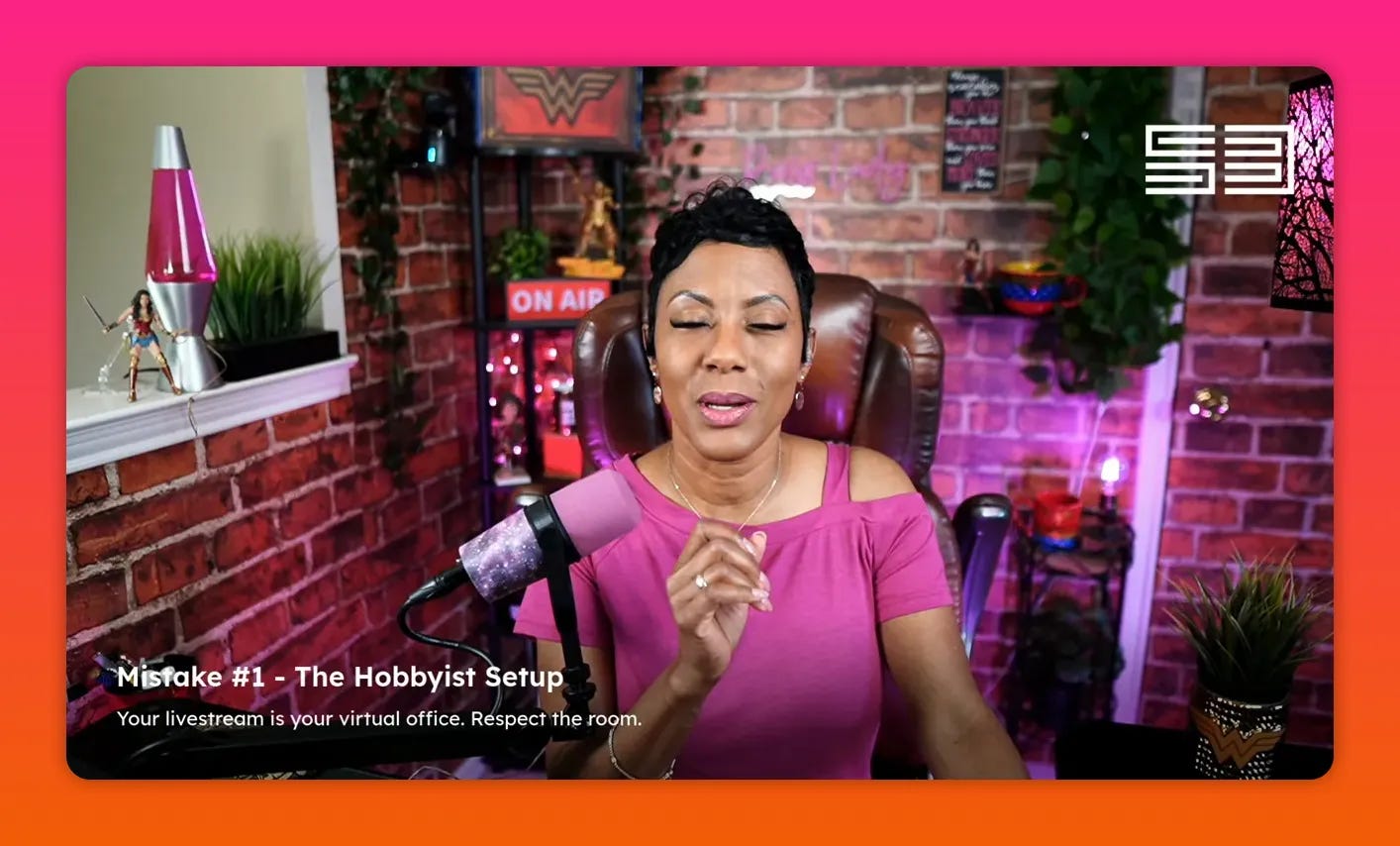
This mistake is less about equipment and more about environment. If your space looks random or cluttered, it signals “this is a hobby.” Even if your expertise is real, your audience reads your surroundings as a mismatch.
Live streaming is a “frame” problem
Think of your stream as a meeting room. Would you sit a client next to a trash can? Would you place them by a noisy counter where they have to shout just to hear you?
Of course not. But many of us accidentally do the equivalent in our video frame.
That’s where cognitive load comes in. Cognitive load is what happens when your audience’s brain is forced to process too many visual inputs before it can focus on your message.
When clutter is competing for attention, your authority leaks out. People keep watching your background instead of listening to your expertise.
My “phone camera audit” challenge
Here’s the quick test I recommend: after this, open your phone camera and point it at your setup.
Then check this:
How many visible objects can you count in the first few seconds?
If you’re seeing more than five, that’s likely clutter distracting from your message.
This isn’t about stripping your personality out of your space. It’s about making sure your space supports your brand instead of fighting it.
Minimal is not the same as boring
I’ve noticed something: people often say, “I need more stuff.” Add-ons feel comforting. But in a service business, your job is to reduce friction, not increase it.
There are exceptions, of course. If you’re a strategic collector, your items can become part of your brand. A superhero mask, a guitar, Wonder Woman items, meaningful decor. Those can work when they’re placed intentionally and don’t look like visual chaos.
So ask the key question:
Is this enhancing the message, or is it detracting from it?
Lighting: can people clearly see your eyes?
The hobbyist setup mistake also includes lighting. You want people to be able to see your eyes. You want your face visible enough that you’re clearly communicating, not blending into shadows.
Quick self-check: record yourself and watch it back. Are there heavy face shadows that drown your expression? If yes, adjust your lighting.
Yes, there are cinematic styles that use shadow for depth and mood. But that requires skill. The authority version of you should not be “drowned in the shadows.” If your eyes disappear, your audience stops feeling connected.
Camera focus: keep attention on your face
Even if you’re using a DSLR or whatever camera you have, your goal is the same: make it easy for your audience to focus on you.
A shallow depth of field can be intentional, as long as it doesn’t create a “who am I even looking at?” feeling. Your audience should know: this person is speaking directly to me.
Mistake #2: The muddy message
Broadcasting is easy. Authority is intentional.
This is the second credibility leak: the muddy message.
Anybody can broadcast. Only experts create momentum.
There’s a difference between:
Sharing (loose, reactive, “whatever comes to mind”), and
Teaching (intentional, structured, relevant to the audience you want to attract)
In my experience, service providers get stuck in the “I’m just sharing” pattern. They start with a topic that’s broad, then they improvise as they go.
That can work for casual moments, and it’s not always bad. But if your goal is brand authority and consistent client attraction, “random” reduces your persuasive power.
Your viewers need an anchor
Here’s the framework I want you to write down:
By the end of this stream, my viewer will understand that, fill in the blank.
This anchor statement does something powerful: it organizes your thinking.
When you walk in with an anchor, you naturally choose supporting points that connect back to your promise. You stop wandering. Your conversation becomes coherent.
And coherence is what authority looks like.
If your anchor can’t fit into one sentence, it’s too big. That’s a sign your topic is broad enough to become muddy. Narrow it.
Move from “loose topic” to structured key points
Once you have the anchor statement, you can create message points that build in sequence. That’s how you go from a stream that feels like “talking” to a stream that feels like “value delivery.”
And here’s the bonus: structure makes it easier to speak clearly under pressure. Live isn’t forgiving, but structure is.
Mistake #3: The apology loop
Let’s talk about one of the most common professional mistakes on camera: the apology loop.
“Sorry” signals you’re not in control
Every sorry you say on camera is interpreted as a loss of authority.
You don’t have to be perfect. The goal is not “never mess up.” The goal is “don’t spiral.”
Sometimes things go wrong. The audio cuts. The screen freezes. A storm knocks out the connection. A dog starts barking. Technology fails.
Those moments happen.
But if your response is repeated apology, your audience learns the wrong lesson:
They think the problem is you, not the situation.
My default rule: acknowledge, then move on
At the start of my show, I have had audio issues before. The point isn’t to obsess over it. It’s to acknowledge it once, then continue serving.
For example, instead of:
“Sorry for the delay, sorry for the mute, sorry I’m hard to follow…” (repeat repeat repeat)
I focus on a calmer response:
“Thanks for the reminder. We’re here. Let’s continue.”
Even if something goes sideways, you can keep your posture confident. That’s what your audience is really watching.
Authority is your calm in the storm
I’ve heard it framed in a way that stuck with me: your clients don’t just need your expertise. They need to know you can navigate rough waters.
So when your stream has technical friction and you recover quickly, you’re demonstrating authority.
That’s why apologies over and over chip away at credibility.
A note on “but I’m just being humble”
There’s a cultural pattern, especially for women, to soften through apology. “I’m sorry.” “Sorry if I’m bothering you.” “Sorry I’m not perfect.”
But on camera, humility can be misread. The audience often hears “not in control” more than “I’m being polite.” Your confidence is part of your message.
Your 2-minute pre-stream audit (confidence without perfection)
This is the mini audit I use even after years of streaming. It’s quick, practical, and focused on the few variables that matter most.
Ask yourself:
What is my anchor today? (Write your anchor statement.)
What am I really looking forward to sharing and achieving with this stream? (What outcome are you aiming for?)
If something goes sideways, what is my default response going to be? (Decide now, not in panic.)
That third one is huge. Your default response should not be “oh my god everything is horrible” and a decision to shut down.
It should be “acknowledge it” and then “move forward and serve the people on the other side of the camera.”
Confidence, by the way, is not perfection. Confidence is being settled and present.
Conclusion: your voice is a superpower
Your expertise matters. Your story matters. And someone is waiting to hear from you.
Confidence is not about never making mistakes. It’s about staying present, structured, and in control of your message. When you fix these three credibility leaks, your live streams stop feeling like “content” and start feeling like leadership.
If you’re ready to level up your authority on camera, pick one mistake to fix before your next stream. Then share your anchor statement in the comments or message it to me, and let’s tighten your authority together.
Subscribe for more practical, credibility-building stream strategy, leave a review if these tips helped, and share your biggest aha with a friend who’s ready to look as professional as they are.


